
Download Dropzone 3 – Drag‑Drop File Manager for Windows, macOS, iOS & Android
Overview
Dropzone 3 is a sleek, multitasking productivity tool that turns a single, intuitive interface into a powerful hub for all your file‑handling needs. Whether you are moving documents between cloud services, uploading images to social media, or simply organizing local folders, Dropzone 3 lets you drag, drop, and automate actions without ever leaving the desktop. The app’s core philosophy is “no drops in productivity”: every click, drag, or drop is engineered to be as frictionless as possible, so you spend less time navigating menus and more time getting work done.
While the initial setup may require a brief moment to install optional Actions, the payoff is immediate—once configured, the app feels like an extension of your own workflow. Dropzone 3 supports a wide range of services, from Twitter and Imgur to Dropbox, Google Drive, and many more, each accessible through a single, context‑aware menu. Its modular Action system means you can tailor the app to your exact use‑case, whether you need a quick screenshot uploader or a batch file renamer.
In short, Dropzone 3 is not just a file manager; it’s a productivity catalyst that subtly reshapes how you interact with data across platforms.
Core Features
- Universal drag‑and‑drop interface that works across Windows, macOS, iOS, and Android.
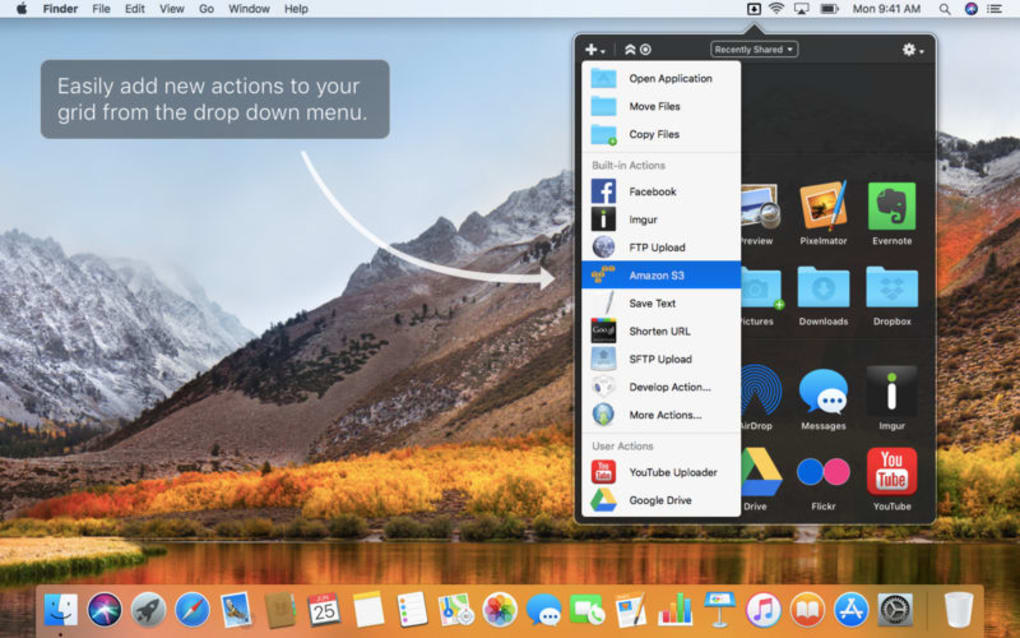
- Customizable Actions panel – drag a file directly to Twitter, Imgur, Dropbox, or any installed service.
- Batch processing – rename, resize, or compress multiple files in one go.
- Secure upload – encrypted connections for all supported cloud services.
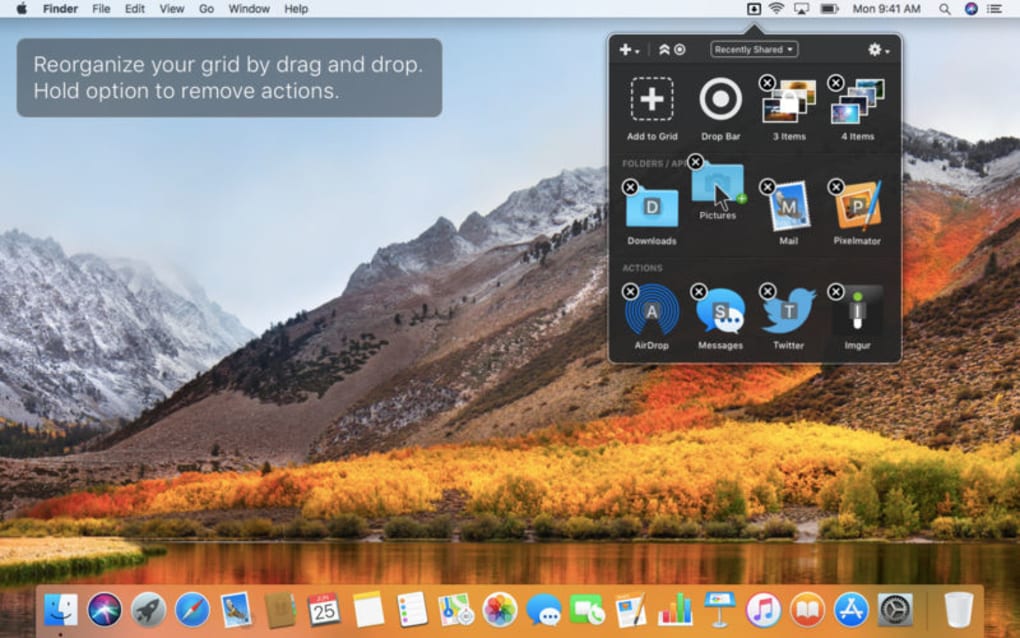
- Quick‑access folder shortcuts – create shortcuts for frequently used directories.
- Automation scripts – integrate AppleScript, PowerShell, or Shell scripts as Actions.
- Seamless clipboard integration – drop items straight from clipboard without saving first.
- Background updates – the app checks for new features and security patches automatically.
- Extensible plugin ecosystem – community‑created Actions can be installed with a single click.
- Dark mode support – matches system theme for comfortable long‑term use.
These features are not just a checklist; they represent a philosophy of “do more with less”. The drag‑and‑drop paradigm eliminates the need to open multiple windows or switch between apps, while the Action system turns repetitive tasks into a single motion. For power users, the ability to embed custom scripts means Dropzone 3 can become a personalized automation engine, handling anything from file encryption to automated backups. Security is baked in, with all transfers using SSL/TLS encryption, ensuring that sensitive documents stay protected during transit. The combination of native OS integration, extensive cloud support, and a thriving plugin community makes Dropzone 3 a future‑proof solution that scales with your workflow.
Installation & Usage Guide
Installing Dropzone 3 is straightforward and designed to be as frictionless as the app itself. Begin by visiting the official website or your platform’s app store. For Windows and macOS, download the installer (.exe or .dmg) and run it with administrator privileges. The wizard walks you through license acceptance, destination folder selection, and optional shortcut creation. On iOS and Android, simply tap “Install” and grant the required permissions for file access and network communication.
Once installed, launch Dropzone 3 and you’ll be greeted by a compact circular icon that sits at the edge of your screen. Drag this icon onto the desktop to pin it, or keep it hidden for a cleaner workspace. The first time you open the app, a quick onboarding tour highlights the main components: the central drop zone, the Actions menu, and the Settings panel.
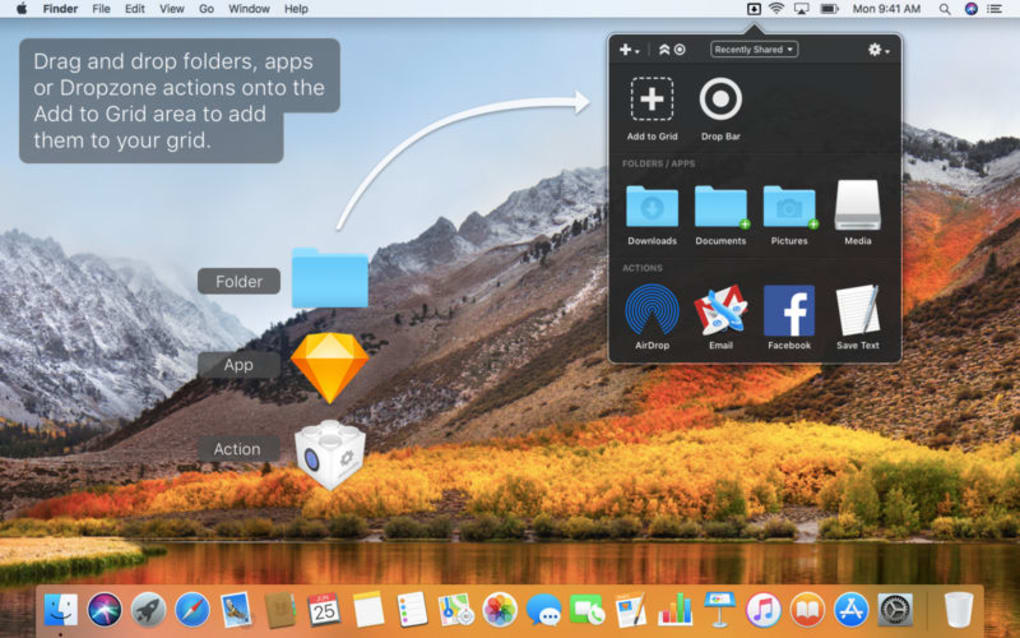
To use Dropzone 3, simply select one or more files in Finder, Explorer, or your mobile file manager, then drag them onto the Dropzone icon. A radial menu appears, displaying all installed Actions. Move the cursor (or finger) toward the desired Action—such as “Upload to Imgur” or “Save to Dropbox”—and release. The file is instantly processed according to the Action’s parameters. If the Action requires additional configuration (for example, selecting a target album on Imgur), a brief dialog prompts you to complete the step, after which the operation proceeds automatically.
Advanced users can create custom Actions via the Settings > Actions > Add New menu. Here you can define the Action’s name, icon, target service, and any required script or API key. Once saved, the new Action appears in the radial menu alongside the defaults. For batch operations, select multiple files before dropping them; Dropzone 3 will apply the chosen Action to each file sequentially, displaying a progress bar in the corner.
Updating Dropzone 3 is handled silently in the background. The app checks the official server at startup and notifies you of major version upgrades, while minor security patches are applied without user intervention. This ensures you always have the latest features and protection without disrupting your workflow.
Compatibility, Pros & Cons, and Frequently Asked Questions
Compatibility
Dropzone 3 runs natively on Windows 10 and later, macOS 10.13 (High Sierra) and newer, iOS 13+, and Android 8.0+. The app leverages each platform’s native file‑system APIs, ensuring smooth drag‑and‑drop performance and reliable background processing. Cloud service integration works across all supported OS versions, provided the respective service’s API is still active.
Pros
- Intuitive drag‑and‑drop workflow that reduces mouse clicks.
- Extensive built‑in Actions covering the most popular cloud and social platforms.
- Highly customizable through user‑created Actions and scripts.
- Secure encrypted transfers for all supported services.
- Cross‑platform availability keeps your workflow consistent.
- Automatic background updates keep the app current.
- Lightweight footprint – runs smoothly on older hardware.
Cons
- Initial setup of custom Actions can be intimidating for beginners.
- Some advanced Actions require manual API key entry.
- Occasional lag when loading a very large number of installed plugins.
FAQ
Is Dropzone 3 free or paid?
Dropzone 3 offers a free core version with all essential features. Premium Actions and advanced scripting capabilities are available through in‑app purchases.
Can I use Dropzone 3 with my own private cloud?
Yes. Dropzone 3 supports custom WebDAV endpoints, allowing you to connect to private clouds such as Nextcloud or ownCloud by adding a new Action and entering the server URL and credentials.
How secure are my files during transfer?
All transfers use SSL/TLS encryption, and the app never stores your files locally unless you explicitly choose a local Action. API keys are saved in encrypted storage on your device.
Can Dropzone 3 run in the background on mobile devices?
On iOS and Android, Dropzone 3 runs as a background service when processing uploads, ensuring that large files continue to upload even if you switch apps.
What should I do if an Action fails to upload?
The app provides a detailed error log in Settings > Diagnostics. Most failures are due to network issues or expired API tokens; re‑entering credentials usually resolves the problem.
Conclusion & Call to Action
Dropzone 3 delivers on its promise of a “slick interface for everything files‑wise,” turning everyday drag‑and‑drop actions into a powerful productivity engine. Its blend of built‑in Actions, extensibility, and cross‑platform support makes it an indispensable tool for anyone who works with multiple cloud services or needs fast file organization. While the learning curve for custom Actions may be a hurdle for beginners, the payoff in saved time and reduced context‑switching is well worth the initial investment. Ready to streamline your workflow? Download Dropzone 3 now and experience a new level of file management efficiency.
Pros: intuitive UI, extensive Action library, strong security, cross‑platform.
Cons: initial setup complexity, occasional plugin lag.







